
Which launch monitors work with GSPro at home?
With an Approach R10, you can connect over Bluetooth. The EYE MINI LITE needs Ethernet and Uneekor’s connector. Find the official GSPro route for the model on your monitor’s label, then check what you’ll pay for GSPro and any plan the monitor needs.
Official GSPro connections by model
GSPro is Windows course and range software. The publisher offers local and online modes including stroke play and scramble. If a particular course is the reason you’re buying, look it up on the in-game course server. The community catalogue changes, and course downloads need disk space. For a first 1080p desktop quote GSPro needs Windows 10 or 11 and recommends RTX 3060-class graphics, 16 GB RAM and 10 GB free at minimum. See the 1080p and 4K PC comparison. In the UK, the published GSPro rate is US$250 a year before checkout tax and currency conversion. GSPro current device list, Windows requirements and editions
| Model | Publisher route | Monitor-side check |
|---|---|---|
| Garmin Approach R10 | Official. Enable GSPro Connection on the R10, then pair directly to the Windows PC by Bluetooth. | Budget the GSPro key and a compatible Bluetooth PC. Home Tee Hero membership is a separate Garmin product. Garmin R10 direct Bluetooth |
| Garmin Approach R50 | Official. Select the R50 licence and enable its third-party connection mode. GSPro’s guide documents the R50 Wi-Fi hotspot or a shared network. | The R50’s own display or HDMI output for its built-in simulator is a separate route. GSPro R50 connection guide |
| Square Home and Square Omni | Official. Use the GSPro Square licence and the Square Golf connector inside GSPro. | Confirm Bluetooth and regional device setup. Square’s own course credits are for Square’s app. Square Golf third-party setup |
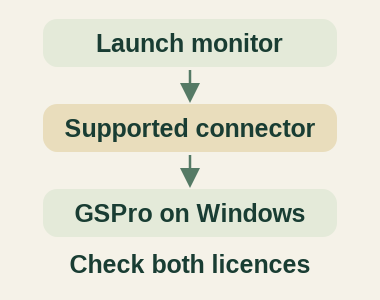
| Uneekor EYE MINI LITE | Official. Connect the monitor to the Windows PC by Ethernet and use Uneekor Launcher and its Third-party Connector. | Confirm an eligible Uneekor tier plus GSPro, or a qualifying Plus bundle. Uneekor EYE MINI LITE manual · Uneekor regional Plus and GSPro activation |
| Uneekor EYE MINI, EYE XO, XO2, XR and QED | Official models named by GSPro. Match the installed model and use Uneekor Launcher. | Check the membership available for the monitor’s registered serial number. GSPro list · Uneekor tiers |
| Foresight GC3, GCQuad, QuadMAX, Falcon and GCHawk | Official Foresight integration. Confirm the route for your serial and account before purchase. | GSPro names FSX 2020 or FSX Play. The Foresight+ route offers eligibility through Gold plus a separate subscription to GSPro. FSX route · Foresight+ route |
| Bushnell Launch Pro | Official Launch Pro route. Buy the correct GSPro licence type. | A paid Gold term is required. A Gold trial does not qualify. Verify activation for your exact US model and location. GSPro Foresight and Bushnell integration |
| Rapsodo MLM2PRO | Official. Follow Rapsodo’s device pairing flow for the Windows PC running GSPro. | The current Rapsodo comparison shows third-party access from Core. Older integration instructions may refer to Premium. Model setup · Current plans |
| FlightScope Mevo+ and Mevo Gen2 | Official. Connect via the manufacturer’s sensor network method and select the matching model on the PC. | FlightScope lists GSPro for these models. Its Pro Package changes available data fields. Confirm which fields the game uses. FlightScope Mevo FAQ |
| SkyTrak Original, SkyTrak+ and SkyTrak MAX | GSPro’s publisher does not list them as officially supported. The publisher provides an OpenAPI for community integrations. | Choose an officially listed device if publisher support is a purchase condition. For an existing SkyTrak, start with the model and plan guide. GSPro’s support boundary |
Other named models include ProTee VX, Full Swing KIT, FlightScope Xi, X2 and X3, and select GolfJoy devices. Match the full model name against the publisher list. If a maker shows support before GSPro lists the model, ask which build and connector support it. GSPro’s conversion page distinguishes some beta routes. GSPro current device list, Windows requirements and editions · GSPro licence conversion
Which memberships unlock play
Add the GSPro renewal to any membership your monitor needs to send shot data. GSPro lists local and online stroke play, scramble, Stableford and match play. Confirm your course, mode and player count in the edition you’ll use. GSPro displays US$250/year in US dollars. The publisher price does not establish the amount a UK card will be charged. For a direct order, check checkout currency, tax and the renewal notice in the account that will own the licence. GSPro current device list, Windows requirements and editions
US examples for an owned monitor
- Approach R10: US$250 for a year of GSPro at the publisher rate, before applicable tax. The Bluetooth path does not involve the Garmin Golf app as an intermediary. Start with your existing compatible Windows PC. Garmin R10 direct Bluetooth
- EYE MINI LITE: US$199 for the standard Uneekor Pro tier plus US$250 for GSPro gives US$449 before tax for a year on that purchase route. Plus bundles and qualifying offers can change what you pay and when it renews. Uneekor US standard memberships · Uneekor offer and renewal steps
- Launch Pro: The legacy US Bushnell Gold benchmark of $499 plus $250 for GSPro was $749 per year before tax. The current standard Foresight+ Gold path is $599 plus $250, or $849 before tax, for an eligible device. Check the actual plan on your serial and verify paid Gold or an eligible retained FSX entitlement. Legacy US Launch Pro Gold · Current Foresight+ price · GSPro connector terms
- MLM2PRO: US$199.99 for one year of Core plus US$250 for GSPro gives US$449.99 before tax. Check your Rapsodo account before buying a second term. Rapsodo memberships
UK example with a regional bundle
Uneekor’s UK product page displayed £226.60/year for Pro+, which describes one year of GSPro. Confirm the UK basket, renewal and any offer on your serial. If the EYE MINI LITE quote already includes qualifying Pro+ and GSPro, price that term first. Ask the seller to name the offer in writing and confirm whether a code comes with it. Follow Uneekor’s UK redemption instructions for that seller. Check when the offer expires and what each company will charge the following year. If you already pay GSPro directly, redeeming another code does not cancel that subscription. UK Pro+ price panel · Uneekor regional Plus and GSPro activation
For a GC3 bought with FSX, find the device and FSX entitlement in your own Foresight account. Foresight reviews device eligibility on its purchase-code route. Verify whether your UK or US seller supplies legacy FSX or the Foresight+ integration before paying for Gold or a separate code. GSPro Foresight and Bushnell integration · Foresight regional GSPro fulfilment · Foresight+ membership terms
Check a regional order before paying
- Copy the full model and serial from the label. Match the regional account, GSPro connector, paid tier and any included code to that exact listing.
- Record Windows version, the data connection, internet access and the output resolution. Check the computer requirements before buying an adaptor or PC.
- Check the first charge and both renewal dates. If you already have a GSPro key, use the publisher’s conversion instructions to change device type after verifying prerequisites. GSPro licence conversion
- During installation, hit a shot on the range and see whether it registers. Restart the software and reconnect. On the course you plan to play, check chipping and your preferred putting mode.
Before paying for a graphics card or membership, confirm that the monitor fits the room and ask the seller to demonstrate the connection on the account you’ll use. If that setup is unsuitable, compare another official route. Use the display and computer guide to match the Windows PC’s video output to the screen you plan to use.